Table of Contents Show
Smart worksite planning plays a direct role in how safely and efficiently a construction site operates. From construction site layout planning to the placement of portable site offices, early decisions influence productivity, fatigue levels, and day-to-day risk management.
Author: Perla Irish — Home Improvement Editor, DreamlandsDesign
Reviewer: Professor Ollie Jay, PhD — Professor of Heat & Health, Director of the Heat & Health Research Centre, University of Sydney
Editor’s note: This article was edited for clarity and practical use by Perla Irish, Home Improvement Editor at DreamlandsDesign. Technical recommendations and the safety checklist were checked against industry guidance; authoritative references are listed in the References section below.
Quick read: Smart worksite planning and site layout decisions — paired with one climate-controlled office — reduce delays and improve safety.
Small changes made during planning pay off every day on site. Short walks, clear vehicle routes, and a secure office for tech and briefings are the easiest wins.
This guide focuses on smart worksite planning strategies that improve safety, reduce fatigue, and support efficient construction workflows.
Smart Worksite Planning and Construction Site Layout: Why It Matters
Construction site layout planning is the process of deciding where temporary and permanent facilities sit on a site so people, vehicles, and equipment can move safely and efficiently.
When layout is handled well, teams spend less time walking around obstacles, congestion is reduced, and supervision becomes easier. Offices, access roads, and rest areas are placed with the intent to help prevent delays and avoidable incidents.
- Shorter travel distances reduce physical strain and lost time
- Clear pedestrian and vehicle separation lowers collision risk
- Centralized planning spaces improve communication and decision-making
As part of smart worksite planning, construction site layout planning determines how people, vehicles, and equipment interact throughout the project lifecycle.
Smart Worksite Planning with Portable Site Offices and Dongas
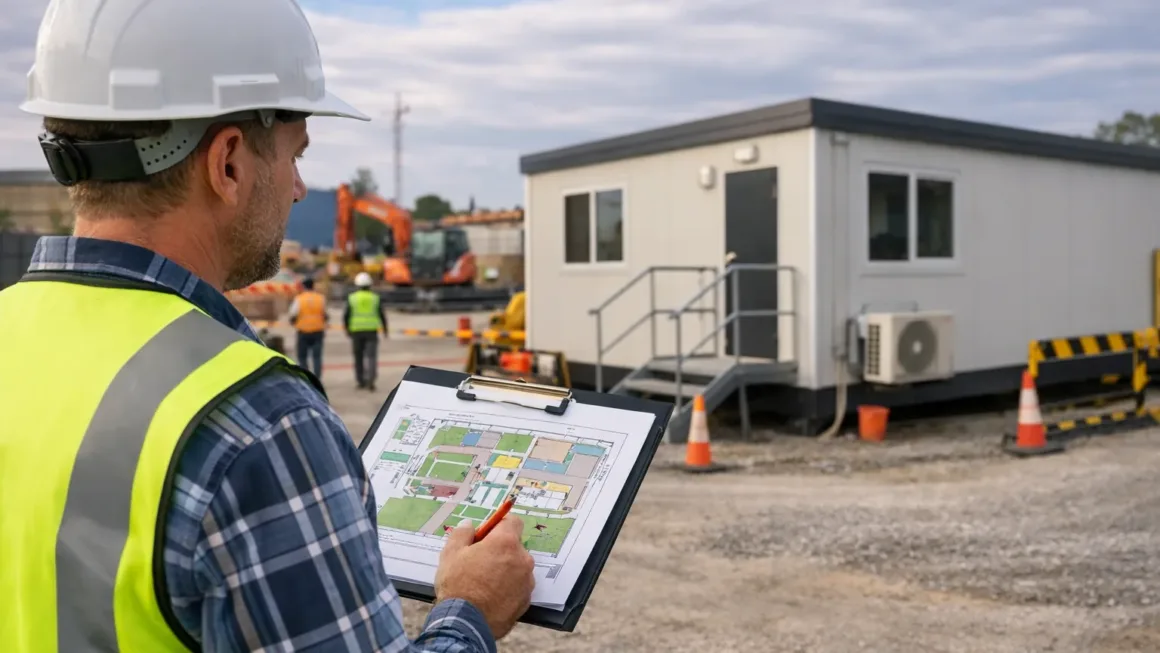
Portable site offices give crews a protected place to plan work, store documents, manage technology, and respond to issues as they arise. On busy sites, they quickly become the operational centre.
On remote projects, accommodation dongas play an equally important role. Better rest conditions and shorter travel times support alertness, consistency, and safer shift work.
For readers researching long-term accommodation ownership in Western Australia, this overview of dongas for sale Perth provides a practical reference for common configurations and real-world use cases.
To understand differences between entry-level and higher-spec units, read this Instant Offices explainer on what sets portable site offices apart from premium offices.
Safety-first worksite planning checklist
Effective smart worksite planning starts with a safety-first checklist that addresses traffic flow, rest areas, and emergency access.
A safety-first worksite checklist focuses on separating people from moving plant, providing accessible rest points, and making sure emergency routes are obvious before work begins.
Clear traffic routes, visible signage, and well-placed facilities reduce confusion on site and help crews work confidently, even during busy or high-pressure periods.
Traffic and Access Control in Smart Worksite Planning
Plan vehicle routes and pedestrian walkways as part of an Internal Traffic Control Plan (ITCP). An ITCP coordinates vehicle movements inside the work area and aims to separate heavy plant from foot traffic wherever possible.
Use physical barriers, clear signage, and designated crossing points; minimise reversing and blind-spot exposure using banksmen, mirrors, or exclusion zones. For formal guidance on work-zone traffic control and internal traffic planning, see OSHA’s internal traffic control planning and work-zone traffic safety guidance (linked in References).
Rest, fatigue, and well-being
Fatigue reduces vigilance and increases the risk of incidents. Identify fatigue as a site hazard, consult workers on rostering, and build rest facilities that crews will actually use (shaded or climate-controlled rest areas, hydration, and scheduled breaks).
Practical frameworks for identifying and managing fatigue are available from national regulators and research bodies — see Safe Work Australia and NIOSH resources in the References section for actionable measures to control fatigue risk on site.
Emergency readiness
- Clearly marked muster points and first-aid rooms
- Unobstructed access for emergency vehicles
- Site offices equipped for incident coordination
Picking the right portable office (short guidance)
Portable offices are a core element of smart worksite planning, especially on long-running or remote construction projects.
The right portable office depends on how long the project will run, how exposed the site is to heat or cold, and whether sensitive equipment needs protection.
Short, mobile jobs often suit basic units, while longer or remote projects benefit from insulated, climate-controlled offices. This guide on portable office hire tips walks through common sizing and setup mistakes.
Quick buying checklist: scale & duration, power & connectivity, security, comfort features (seating, ventilation, water).
Note: this guide aims to be independent. Where we mention suppliers or product types, readers should cross-check specifications and local regulatory requirements; authoritative safety and fatigue guidance in the References should guide decisions about rest, access, and emergency arrangements.
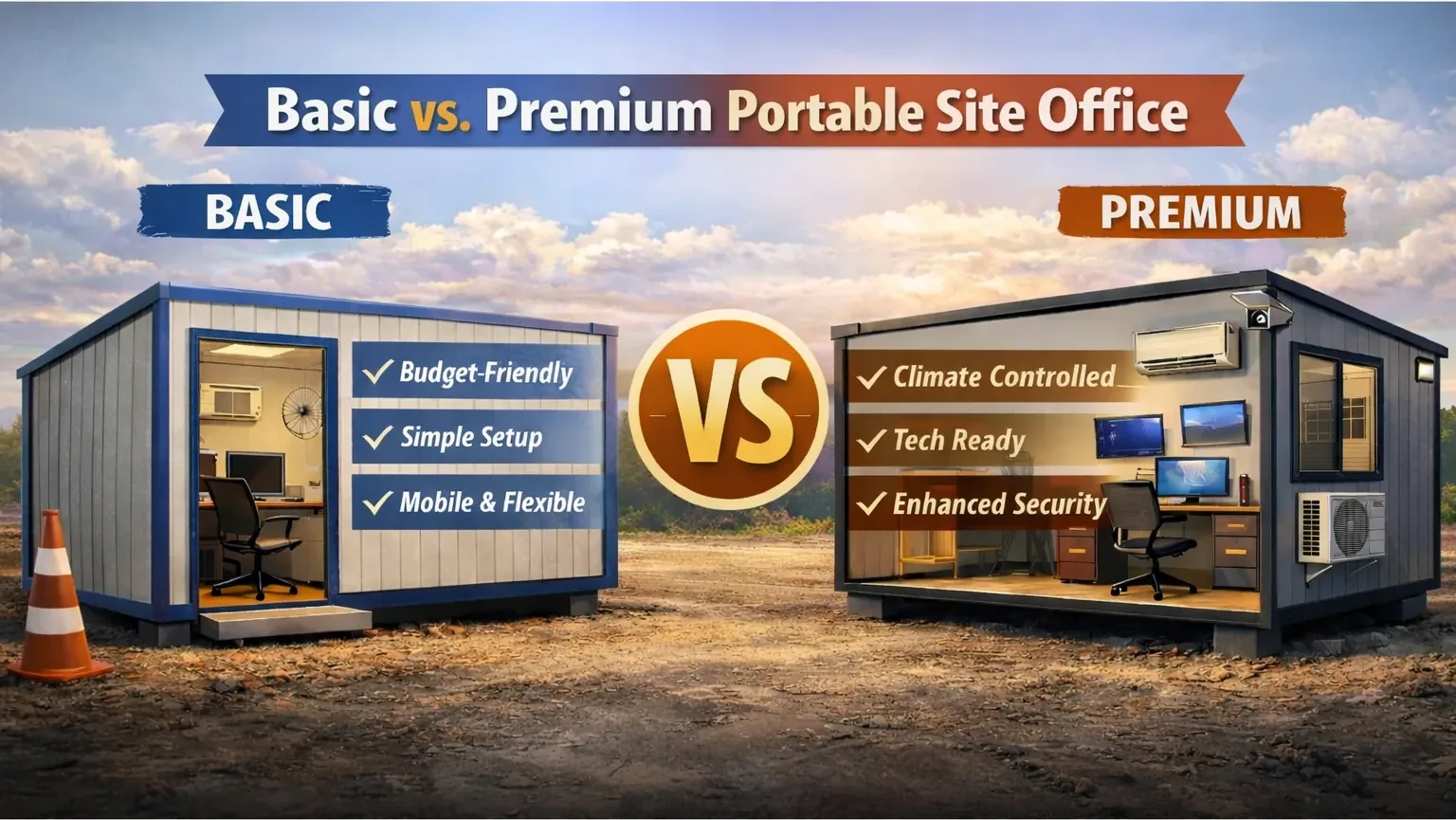
The comparison below shows how basic and premium portable site offices differ in cost, comfort, durability, and long-term value, based on how they’re typically used on real construction projects.
| Feature | Basic (Portable site office) | Premium (Portable premium office) |
|---|---|---|
| Typical cost | Lower upfront hire/purchase cost; budget-friendly for short jobs. | Higher upfront cost or hire rate; aimed at longer-term installations. |
| Best for | Short projects, frequent moves, tight budgets, quick deployment. | Longer projects, client-facing sites, offices needing comfort & tech stability. |
| Mobility / redeploy | Very mobile — designed for regular relocation with minimal prep. | Less mobile due to heavier fit-out; may need extra logistics to move. |
| Setup time | Fast set-up (hours to a couple days). | Longer set-up (days to weeks) — may require footings or service tie-ins. |
| Insulation & climate control | Basic insulation; often limited HVAC options (portable heaters/AC). | High-spec insulation, integrated reverse-cycle HVAC, better thermal comfort. |
| Internal finishes | Functional finishes (vinyl, simple joinery). | Higher-grade finishes (plasterboard, commercial glazing, flooring options). |
| Power & tech readiness | Sufficient for basic power loads; may need UPS for sensitive gear. | Designed to host servers/CCTV/UPS and stable comms in harsh conditions. |
| Security | Basic locks and shutters; adequate for short-term on-site use. | Commercial-grade doors, integrated alarm options and better locksets. |
| Regulatory/approval complexity | Usually straightforward approvals for temporary use (region dependent). | May require additional approvals or inspections for permanent-like features. |
| Durability & lifespan | Good for expected lifecycle of temporary projects (5–10 years typical). | Built for longer lifespan with better corrosion/weather resistance. |
| Maintenance | Lower maintenance, but may need frequent repairs if moved often. | Lower ongoing repair frequency; higher spec materials age better. |
| Typical hire / buy options | Widely available for short-term hire; cheaper daily/weekly rates. | Available for hire and purchase; hire rates reflect higher spec. |
| Lifecycle cost | Lower initial cost but may be higher per-year if frequently replaced or poorly insulated. | Higher initial cost but often lower lifecycle cost on long projects. |
| Example use-case | Roadworks crew needing moveable office and quick sign-in hub. | Regional mining camp HQ, long-running civil job with sensitive tech. |
Tip: use the table above to map needs to project duration and climate. If you expect heavy tech use or long campaigns, premium can save time and money in the long run.
Technology, monitoring, and administration (short answer)
Install digital sign-in, secure Wi-Fi for dashboards, UPS for critical gear, and protect all tech inside a climate-controlled office.
Protecting hardware from dust, moisture, and heat ensures systems like CCTV and GPS run reliably — see our construction site equipment list for typical infrastructure items.
Accommodation & fatigue: the safety link
Better sleep and shorter commutes reduce fatigue-related incidents — accommodation planning is therefore a direct safety measure.
Plan lodging close to work zones on remote sites and ensure climate control and quiet rest spaces to keep crews rested and alert across shifts.
Practical layout examples (answer-first)
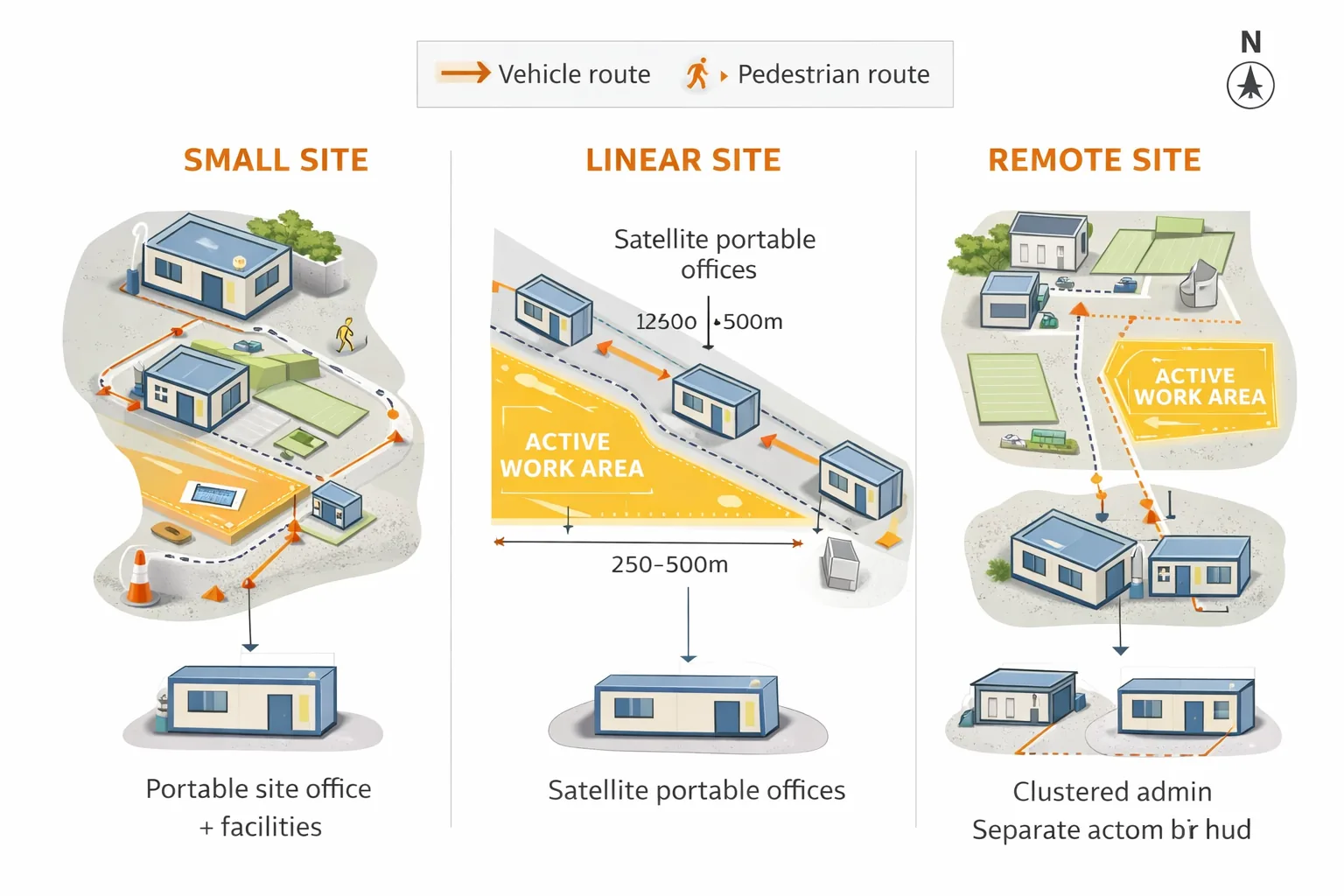
Example setups: small site = clustered office & facilities; linear site = satellite offices every 250–500m; remote site = clustered admin + separate accommodation hub.
Use these as templates, then adapt distances and access points to the specific terrain and traffic patterns of your site.
Key Benefits
The table below summarizes the core benefits of smart worksite planning and why each element directly affects safety and productivity.
| Worksite Planning Element | Primary Benefit | Why It Matters |
|---|---|---|
| Optimized site layout | Higher productivity | Reduces walking distances, congestion, and wasted movement |
| Portable site offices | Better coordination | Creates a protected hub for planning, communication, and decision-making |
| Vehicle–pedestrian separation | Improved safety | Lowers collision risk and near-miss incidents |
| Climate-controlled rest areas | Reduced fatigue | Supports alertness and lowers fatigue-related accidents |
| Centralized tech and monitoring | Faster issue detection | Enables real-time oversight through dashboards and CCTV |
Quick Actions
| Quick Action | When to Do It | Impact |
|---|---|---|
| Map pedestrian and vehicle routes | Before site mobilization | Reduces collision risk and improves traffic flow |
| Position site offices near work zones | During layout planning | Cuts walking time and speeds supervision |
| Install climate-controlled rest areas | Before crews arrive | Reduces fatigue and heat-related incidents |
| Secure tech inside portable offices | At setup stage | Protects equipment and ensures system reliability |
| Mark muster points and emergency access | Before operations begin | Improves emergency response time |
FAQ
How close should a site office be to active work areas?
Within a short walking distance (aim for under 5–10 minutes for supervisors) but away from heavy traffic, dust, and noise.
This balance keeps supervision effective while preserving safety and the functionality of the office.
Yes for long-term, remote, or climate-exposed projects — they reduce downtime and protect tech and workers.
Higher initial cost often returns value through lower maintenance and better working conditions, which improves productivity.
Can portable offices be used for first aid or safety management?
Yes — provided they meet local safety and accessibility regulations for emergency spaces.
Check local requirements and equip the office with basic first-aid, communications, and clear access routes.
Which should you choose — short guidance
Short answer: choose a basic portable office for short, mobile, cost-sensitive jobs; choose a premium office when you need climate control, secure tech hosting, and long-term comfort. Below is a compact checklist to guide the procurement conversation.
- Project length: under 3 months → basic; over 6 months → consider premium.
- Climate exposure: hot/cold/very dusty → premium for worker comfort and equipment protection.
- Tech needs: if you run CCTV, servers, or dashboards onsite, favour premium with UPS and comms room.
- Mobility needs: frequent moves? Basic wins for speed and cost.
- Lifecycle view: calculate total cost for hire + maintenance over project duration — premium can pay off on long projects.
Final thoughts
Good site planning rarely draws attention when it’s done well — but its impact is felt every day in smoother workflows, fewer close calls, and better-rested crews.
If you want help applying this checklist to your site, request a site planning consultation, and we’ll walk your team through a 30-minute layout audit.
When smart worksite planning is treated as a core project task rather than an afterthought, sites run safer, smoother, and more predictably.
Disclaimer: This article is general guidance only. Follow local regulations and site-specific risk assessments before applying recommendations.
References & further reading
- OSHA — Internal Traffic Control Planning (ITCP) instructor guide
- OSHA — Work Zone Traffic Safety (fact sheet)
- Safe Work Australia — Fatigue for construction
- NIOSH / CDC — Shift work, long hours and fatigue
- Cunningham TR et al., 2022 — Work-related fatigue: a hazard for workers
- Author: Perla Irish — Home Improvement Editor, DreamlandsDesign (Muck Rack profile)
- Reviewer: Professor Ollie Jay, PhD — Professor of Heat & Health, Director of the Heat & Health Research Centre, University of Sydney (University profile)