Table of Contents Show
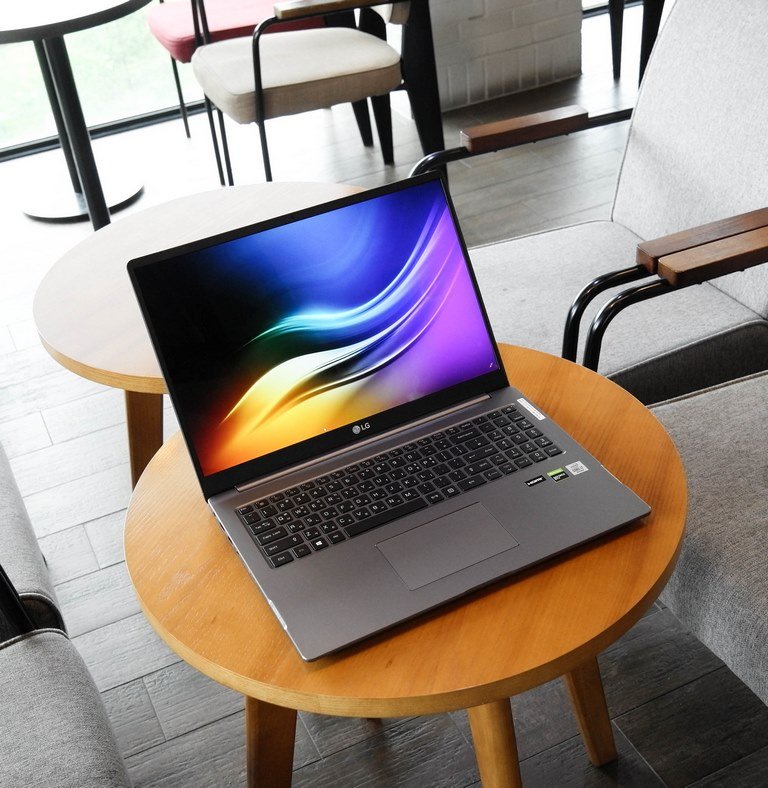
It can be tough to find the right laptop, even more so when you have a budget in mind. Not all laptops are created equal, and there are a lot of different factors to consider when making your purchase.
In this guide, we will walk you through the process of finding the perfect budget laptop for your needs. By following our tips, you’ll be sure to find a laptop that fits both your budget and your needs!
CPU
The first thing you should do is decide what kind of CPU (processor) you want in your laptop. There are two manufacturers that dominate the CPU market: Intel and AMD.
Intel is known for its powerful processors, which are used in many high-end laptops. AMD is often a cheaper alternative to Intel’s offerings, with a comparable performance at lower price points.
You can get a good deal by buying older models, but newer ones are generally faster and more efficient at processing tasks like video editing or playing games.
Avoid older models such as Intel Athlon, Intel Celeron, and AMD A-series as they are quite dated at this point. Instead, try to find a budget laptop with an Intel Core i3 processor or one with an AMD Ryzen processor.
Display
When looking for a budget laptop, you don’t need to compromise on the display. Many budget laptops come with Full-HD displays, which offer great image quality and viewing angles.
Make sure the screen has a resolution of at least 1920×1080 pixels. Anything less will result in a blurry screen and tiny text.
Storage
How much storage you will need depends on what you’re going to use the laptop for. If you are interested in video editing, photography, or gaming, then we recommend getting at least 256 GB of storage space.
If you’re mostly using the laptop for web browsing and social media, then 128 GB of storage should be enough.
There are two main types of storage: SSD and HDD. They both have their own advantages and disadvantages, but we recommend getting a laptop with an SSD drive.
An SSD is much faster than an HDD, so your computer will boot up much quicker, thanks to the shorter read times. However, an HDD is often more affordable.
If you are on a very tight budget, you might need to consider a laptop with an HDD drive otherwise go for a laptop with an SSD.
Read Also:
RAM
How much RAM you need depends on what you’re using the laptop for. If your main purpose is web browsing, social media, and emailing, then a maximum of 4GB of RAM can be enough.
However, if you are doing some more advanced tasks like video editing or gaming, we recommend getting at least 8GB of RAM.
Gaming on a budget laptop
If you want to game on your laptop, then we recommend getting a model with dedicated graphics. Most budget laptops feature integrated graphics, which are not good enough for gaming.
Some budget gaming laptops under 500 dollars can handle some light gaming and older games like Minecraft and CS: GO, but if you prefer playing more recent titles, then you should be looking for a laptop with a dedicated graphics card.
Battery Life
A laptop’s battery life is an important consideration, especially if you plan on using your laptop away from a power outlet.
Many budget laptops have short battery lives, so it’s important to check the laptop’s specs and look at user reviews to figure out how long it lasts.
Windows or ChromeOS?
Chromebooks are cheaper and simpler than Windows laptops, but they can only run ChromeOS apps, which may not be suitable for your needs.
If you’re just going to use the laptop for browsing the internet and watching videos, then a Chromebook is probably fine.
Otherwise, we recommend getting a Windows laptop since it will offer more flexibility in terms of what you can do with it (although at a greater cost).
If you need to use specific Windows programs or if you want to be able to play games, then you’ll need a Windows laptop.
Conclusion
Figuring out which laptop is right for you can be tricky, but hopefully, this guide has helped clear some things up.
Ultimately, the best way to find the right budget laptop for your needs is to think about what you’re going to use it for and then do some research. We hope you find the perfect laptop for your needs and budget!