Table of Contents Show
Short answer: Yes – a desktop diode laser can cut and engrave leather very well, as long as you choose laser-safe materials, use sensible settings, and take fume control seriously. Modern diode machines such as the TOOCAA L2 (20W/40W) give home studios a mix of precision, power, and affordability for leather projects.
Note: This guide is aimed at hobbyists and small-shop makers. It’s informational only and does not replace your laser’s manual, local safety regulations, or advice from a qualified laser safety professional.
Quick Answer: Can a Desktop Diode Laser Really Cut Leather?
- Yes, it can: A 10–40 W desktop diode laser can engrave and cut vegetable-tanned leather cleanly when you use the right settings and air assist.
- Use safe leather only: Stick to vegetable-tanned leather or clearly PVC-free “laser-safe” faux leather. Avoid chrome-tanned leather and PVC/vinyl because they can release hazardous fumes and may damage your machine.
- Expect multiple passes: Thin 1.5–2 mm leather is realistic for a 10–20 W diode; thicker hides are easier with a 20–40 W module and a few well-tuned passes instead of one extreme cut.
- Ventilation isn’t optional: Leather smoke smells strong and can irritate your lungs. You need air assist plus either a smoke purifier or a ducted exhaust to the outdoors.
- Never walk away: Leather is flammable, and Class 3B/4 lasers can start a fire if something goes wrong. Always supervise your jobs.
This guide walks through safe material choices, realistic starter settings, fume control, and project ideas that makers actually sell – written with desktop machines like the TOOCAA L2 in mind, but useful for many similar diode lasers.
1. Safety First: What Happens When You Laser Leather?
Laser cutting and engraving work by focusing a high-energy beam onto a tiny spot on the leather. The surface heats up fast and either darkens (engraving) or vaporizes (cutting) along the path of the beam.
- Engraving lightly burns the top fibers, giving you a dark, permanent mark.
- Cutting removes material all the way through, creating precise shapes and edges.
- Smoke and odor are inevitable, and some leathers can release hazardous by-products if they’re not laser-safe.
Chrome-tanned leather and PVC-based faux leather are the two big red flags. When burned, they can release heavy-metal and chlorine-based fumes that aren’t appropriate for a small studio or home workshop. That’s why most laser safety guides and machine manufacturers strongly warn against them and recommend safer alternatives instead.
If you want a deeper background on risk categories and general precautions, agencies such as OSHA and standards based on ANSI Z136 discuss eye protection, beam hazards, and non-beam hazards (like fumes and fire risk) for industrial and medical lasers. Their guidance is written for workplaces, but the core principles are still useful for a home shop.
- Wear proper laser safety glasses that are rated for your diode’s wavelength (usually 445–455 nm).
- Make sure you have good ventilation or a dedicated smoke purifier running on every job.
- Keep a fire extinguisher nearby and never leave the laser unattended while it’s running.
- Mount your workpiece on a non-flammable honeycomb or metal bed, not bare wood or cardboard.
- Keep pets and children out of the room during operation, and follow the safety section of your machine’s manual.
If you treat your diode laser the way you treat a table saw or welder – powerful, incredibly useful, and always respected – you’re already much closer to a safe setup.
2. Choosing the Right Leather (Critical Step)
Not all leather behaves the same under a laser. Some materials simply aren’t worth the health and equipment risk. Choosing the right leather is one of the most important decisions you’ll make before you ever press “Start.”
| Leather Type | Laser Suitability | Why? |
|---|---|---|
| Vegetable-tanned leather | Best choice | Tanned with plant-based tannins. Burns predictably, engraves with high contrast, and doesn’t introduce heavy-metal tanning agents. |
| Full-grain / top-grain (veg-tan) | Very good | Durable natural surface, ideal for deep engraving and clean edges on 1.5–3 mm leather. |
| Chrome-tanned leather | Generally avoid | Chrome tanning can create hazardous chromium compounds when burned. Without industrial fume extraction and monitoring, it’s safer to avoid it in a hobby studio. |
| Suede & nubuck | Engraving only (case-by-case) | Soft, fuzzy surface; engraving can look great, but cutting may char heavily. Always confirm how it’s tanned and test offcuts first. |
| Faux leather – PU, “vegan leather”, microfiber | Maybe – only if PVC-free & laser-safe | Some PU and microfiber products engrave and cut well, but you must confirm they’re PVC-free from the manufacturer or the safety data sheet. |
| Synthetic leather (PVC / “vinyl”) | Do not laser | PVC can release chlorine-based gases such as hydrogen chloride that are corrosive to you and your machine. Laser manufacturers like Epilog list PVC and vinyl as unsafe materials for laser cutting. |
Simple rule of thumb: if the label or product page mentions PVC, vinyl, or “chlorinated” materials, it doesn’t belong anywhere near your laser cutter.
For most home and small-business setups, a good-quality vegetable-tanned cowhide in the 1.5–3 mm (around 4–7 oz) range is the safest and most predictable starting point.
3. How Much Power Do You Need? (Power, Speed & Passes)
Desktop diode lasers come in different wattages, and that directly affects what they can do with leather. Here’s a practical way to think about it, based on typical manufacturer and user reports for diode machines:
- 5–10 W diode: Great for engraving, logos, and light marking. Can cut very thin leather (about 1–1.5 mm) with multiple passes.
- 10–20 W diode (like the TOOCAA L2 20W): A sweet spot for home leather cutting up to about 2–3 mm with optimized settings and air assist.
- 30–40 W diode (TOOCAA L2 40W and similar): Handles thicker veg-tan more comfortably and needs fewer passes, though it still won’t match a 60–100 W CO₂ laser on speed.
Application labs generally report that 10–20 W diodes cut thin veg-tan effectively, while thicker hides benefit from 20–40 W diodes or industrial-scale CO₂ lasers. Always treat any “settings chart” as a starting point, run your own tests, and stay within the limits of your specific machine.
Starter Settings for the TOOCAA L2 on Veg-Tanned Leather
Every machine and piece of leather behaves a little differently, but these example starting points can help you dial in your first test grid when cutting veg-tanned leather with air assist.
| Module | Leather Thickness | Mode | Power (approx.) | Speed (approx.) | Passes |
|---|---|---|---|---|---|
| TOOCAA L2 10–20 W | ~1.5 mm veg-tan | Cut | 70–80% | 4–6 mm/s | 1–2 |
| TOOCAA L2 20 W | ~2.5 mm veg-tan | Cut | 80–90% | 3–5 mm/s | 2–3 |
| TOOCAA L2 40 W | ~3 mm veg-tan | Cut | 60–75% | 6–9 mm/s | 1–2 |
| Any module | Engraving (surface mark) | Engrave | 10–35% | 300–1,000 mm/min | 1 |
Take it slowly at first: lower power with a slightly slower speed often gives cleaner edges and less char than a single high-power “hero pass.” For engraving, start at the low end of the power range and only increase until the mark is as dark as you need.
Keep notes. A simple settings notebook or spreadsheet will save you a lot of time and wasted leather as you test different hides and thicknesses.
4. Managing Smoke, Smell & Ventilation
Leather is skin, and burning it smells exactly like you’d expect. You’ll also produce fine particulates and gases that you don’t want hanging around in your living space.
Air Assist: A Must-Have for Leather
Air assist blows a focused jet of air at the cutting point. On leather, it makes a noticeable difference:
- Edges come out sharper and less fuzzy.
- There’s less soot on the top surface.
- Small flare-ups are less likely, which is important for flammable materials.
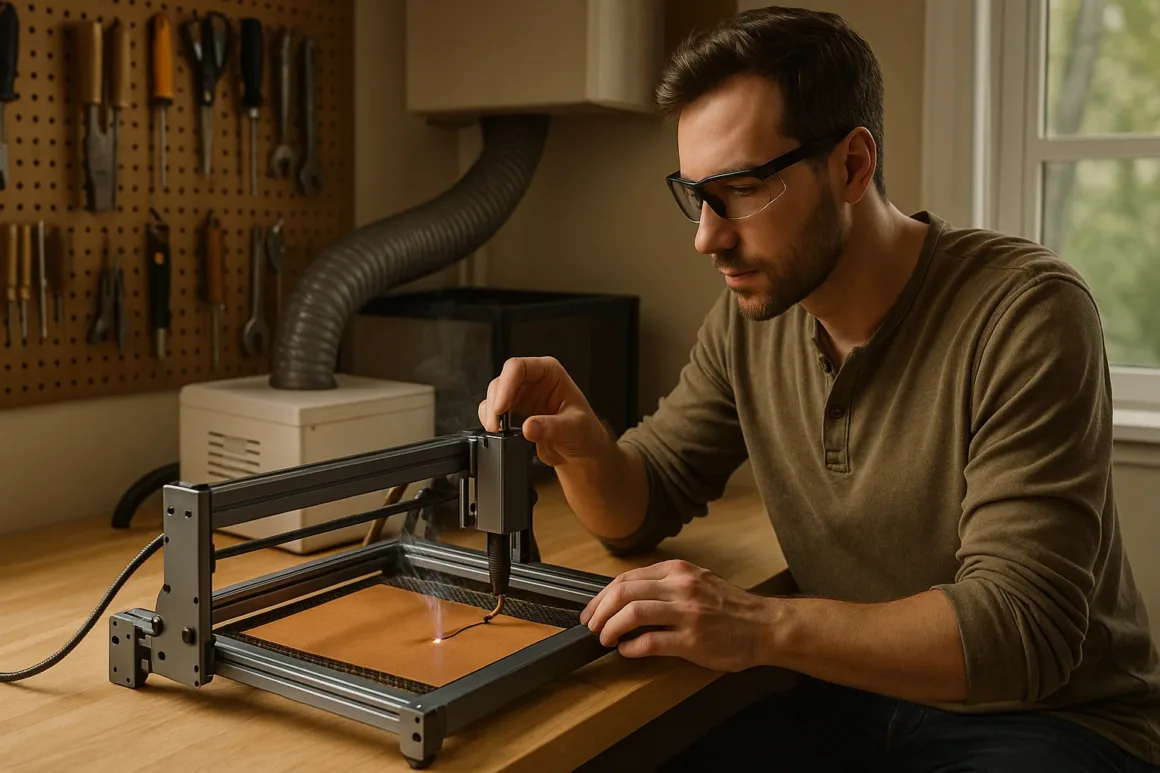
If you’re building out a dedicated corner for your laser, pairing the L2 or another diode with a proper air-assist kit and a safe work surface fits neatly into your overall DIY workshop plan. For broader layout and storage ideas, see DreamlandsDesign’s guide on how to set up a DIY space in your garage.
Filtration & Exhaust: Keeping Your Studio Breathable
For indoor use, you generally have three realistic options:
- Enclosed diode laser with built-in filtration.
An enclosed Class 1 desktop system traps the beam inside a sealed cabinet and routes fumes through a multi-stage filter, making it better suited to home and school environments than an open-frame machine sitting in a bedroom or office. The TOOCAA NOVA is one example of this style of machine. - Open-frame diode + smoke purifier.
Pairing an open-frame L2 with a dedicated smoke purifier can remove a large share of particles and odors from the air. TOOCAA and its resellers market their smoke purifiers as multi-stage systems that capture very fine particulates and help reduce the burnt-leather smell that tends to linger after long jobs. Always check the latest specifications from the vendor you buy from. - Window exhaust.
The classic DIY route: run ducting from your enclosure or laser hood straight outside, assisted by a booster fan. This doesn’t filter everything, but it keeps most of the smoke out of your living space.
If you’re already using an air purifier elsewhere in the house and notice strange plastic or chemical smells, DreamlandsDesign’s article Air Purifiers 101: Why Does My Air Purifier Smell Like Plastic? is a helpful primer on when that odor is normal and when it’s a warning sign.
5. Step-by-Step Workflow: From Design to Finished Leather Product
Once your safety basics are in place, the creative workflow is straightforward. Here’s a simple process you can use in TOOCAA Studio, LightBurn, or your preferred software.
| Step | What to Do | TOOCAA-Specific Tip |
|---|---|---|
| 1. Prep the leather | Wipe dust and oils off the surface. Make sure the piece lies flat – tape corners to your honeycomb if needed. | Use a honeycomb or pin bed to help prevent flashback marks on the back of the leather. |
| 2. Mask (optional) | On very light leather, apply painter’s tape where you’ll cut or engrave. It catches soot and peels off cleanly. | In your design, slightly increase the line offset so you don’t leave a raised edge where the tape was. |
| 3. Focus | Set the laser focus to the top surface of the leather. Re-focus if you change to a different thickness. | The TOOCAA L2’s fine focus gives very crisp text and logo details on leather. |
| 4. Frame the job | Use the frame function to check where the design will land and avoid cutting off the edge. | Turn on air assist before you frame and run the job so your previews match real cutting conditions. |
| 5. Run a small test grid | Engrave a small grid of squares with different power/speed settings on scrap from the same leather. | Start with high speed and low power, then work your way up until you see clean, consistent cuts or engraves. |
| 6. Cut & engrave | Send the final file. Watch for flare-ups, tweak air assist if necessary, and add passes rather than forcing one extremely slow pass. | Use separate layers for engraving and cutting so you can fine-tune each process independently. |
| 7. Clean and finish | Wipe soot from the edges with a dry cloth or a tiny amount of rubbing alcohol. Condition the leather if it feels dry. | Make a habit of cleaning the lens and honeycomb after leather jobs – soot builds up faster than many beginners expect. |
If you’re slowly building out a more complete workshop with other tools (for example, a CNC router or a hybrid diode + fiber laser engraver), this same “test first, then scale up” mindset saves a lot of wasted material across the board.
6. How Thick Can a Desktop Diode Laser Cut Leather?
Desktop diodes shine at engraving and cutting thin to medium-thickness leather. For very heavy hides, they start to run into practical limits.
- Up to ~2 mm (≈5 oz) veg-tan: Usually achievable with a 10–20 W diode, especially with air assist and good focus.
- 2–3 mm (≈5–7 oz) veg-tan: More comfortable on a 20–40 W diode like the TOOCAA L2 40W, typically with multiple passes.
- Above ~4 mm (heavy belt/saddle leather): Technically possible, but slow and sooty on a diode. For serious production in this thickness, most shops step up to a 60–100 W CO₂ machine and industrial-grade fume extraction.
If you work mostly with heavy saddlery leather, a common approach is to engrave patterns and logos on the diode laser and use hand tools or a clicker press for the main cutting.
7. Project Ideas for a Leather Laser Side Hustle
Once you’ve dialed in repeatable settings, leather opens up a profitable set of products – especially for online shops, local markets, and brand collaborations.
- Custom patches: Leather hat patches, jacket patches, backpack badges, and club logos.
- Wallets & bags: Personalize plain wallets, clutches, and totes with names, coordinates, dates, or artwork.
- Home décor: Coasters, bookmarks, desk mats, wall hangings, and leather cable wraps.
- Automotive & moto: Key fobs, dash badges, and small interior accents to match existing leather.
- Branding tags: Leather tags for handmade clothing, knitting, woodworking projects, or furniture.
Because the laser actually burns the surface, the mark is permanent – it doesn’t peel like vinyl and doesn’t rub off like some prints. That’s a big selling point for “forever” gifts and premium branded merchandise.
8. Common Beginner Mistakes (and How to Avoid Them)
Most ruined leather pieces come from the same handful of mistakes. Avoiding them will save you money and frustration.
- Skipping material testing: Going straight to a finished wallet or bag without testing on scrap is a fast way to ruin good leather. Always run a small grid first.
- Running at 100% power all the time: Constant full power can shorten diode life and cause excessive charring. It’s usually better to lower the power slightly and slow the speed.
- Using unknown faux leather: If you don’t know whether it contains PVC, don’t guess. Ask the supplier for details, check the product data sheet, or choose a clearly labeled PVC-free alternative.
- Ignoring fume buildup: If the room smells smoky long after a job, your ventilation is not keeping up. Improve exhaust, filtration, or both before you scale up production.
- Leaving the machine unattended: It’s tempting to “just let it run,” but leather is flammable. Stay in the room so you can react quickly if something doesn’t look right.
Conclusion: Yes, a Desktop Diode Laser Can Cut Leather – If You Respect the Safety Basics
So, can a diode laser cut leather? Yes. With a capable desktop machine like the TOOCAA L2 (20W/40W), safe leather (vegetable-tanned or clearly PVC-free faux leather), and sensible fume control, you can produce professional-quality leather goods from a small workshop or home studio.
- It’s more affordable than jumping straight into a large CO₂ system.
- It’s precise enough for intricate engravings and small cutouts.
- It’s capable of real production on thin-to-medium leather once you’ve logged your best settings.
If you prefer a cleaner, quieter setup for a home or office, pairing an enclosed unit, a smoke purifier, and a proper exhaust path gives you the same creative possibilities with a more contained, appliance-like footprint. As always, confirm that any enclosure and purifier match the safety requirements and regulations in your area.
Start by testing on scrap veg-tan, keep a simple settings notebook, refine your ventilation, and then grow into more advanced tools such as the hybrid diode + fiber laser engraver reviewed on DreamlandsDesign in our hands-on Hansmaker D1 Ultra guide as your leather business and workshop evolve.
FAQ
Q1: Will laser cutting leather smell bad?
Yes. Even with safe leather, you’ll notice a strong “burnt hair” or “burnt hide” smell. That’s normal, but you don’t want it lingering in a closed room. A smoke purifier or a well-designed exhaust to the outdoors makes a huge difference, both for odor and for fine particulates in the air.
If you’re sensitive to smells, plan your laser area more like a mini workshop than a desk corner – good airflow and a little distance from living areas will make the whole experience much more pleasant.
Q2: Can I cut faux leather with a diode laser?
Sometimes. The key question is whether it contains PVC (vinyl):
- If the material is clearly labeled PU leather, microfiber leather, or PVC-free and laser-safe, you can usually engrave and cut it with similar settings to thin veg-tan. Still run test grids first.
- If the label or data sheet is vague, or you see the words vinyl, PVC, or “chlorinated,” don’t put it in your laser. PVC and vinyl are widely flagged as unsafe for laser cutting because they can release chlorine-based gases and corrode your machine.
Q3: What makes the TOOCAA L2 good for leather?
The TOOCAA L2 is a solid fit for leather work because it offers:
- Higher-power options (up to 40 W) for cutting 2–3 mm veg-tan with fewer passes.
- Fine focusing that delivers crisp engraving on logos, text, and detailed artwork.
- Support for air assist, which is crucial for cleaner edges and fewer burn marks on organic materials.
- Built-in safety features such as flame detection and emergency stop – especially valuable when you’re working with flammable substrates like leather.
As your workshop grows, the L2 can sit alongside other tools like a CNC router or a hybrid diode + fiber laser engraver, giving you a flexible little fabrication lab in your own space.
Q4: Is laser engraving on leather permanent?
Yes. When you engrave leather with a laser, you’re burning the surface fibers, not just printing ink on top. The mark is essentially permanent and won’t peel like a vinyl decal. Over time, the engraving may soften slightly as the leather breaks in, but it remains visible and integrated into the material.
Q5: Is it safe to laser cut chrome-tanned leather at home?
From a home-studio perspective, the most conservative answer is “generally, no.” Chrome-tanned leather can release hazardous chromium compounds when burned. Health agencies such as OSHA and NIOSH treat hexavalent chromium exposure very seriously, and hobby-grade ventilation is not designed around that risk.
If your business depends on processing chrome-tanned leather, talk to a laser safety officer or industrial hygienist about appropriate fume extraction and monitoring, and consider using a commercial-grade CO₂ system in a properly engineered space rather than a desktop machine in a spare room.
Author – Perla Irish
Home Improvement Editor at DreamlandsDesign.com. Perla Irish helps homeowners and trade pros make confident decisions about upgrades, repairs, and design. Her beat spans HVAC, plumbing, water heaters and boilers, indoor air quality, energy efficiency and weatherization, non-toxic materials, cleaning systems, décor and lighting, gardening/outdoor living, and practical real-estate topics. You can explore more of her work and background on her journalist profile: Perla Irish on Muck Rack.
Reviewed by – Thomas Lieb, CLSO
President, Rockwell Laser Industries (RLI) and board-certified Laser Safety Officer. Thomas Lieb has decades of experience with industrial lasers, laser optical system design, and laser safety training programs. He serves on ANSI Z136 laser safety committees and IEC/ISO working groups for machines using lasers in material processing. You can read more about his background and laser safety work on his instructor profile: Rockwell Laser Industries – Thomas Lieb, CLSO.